
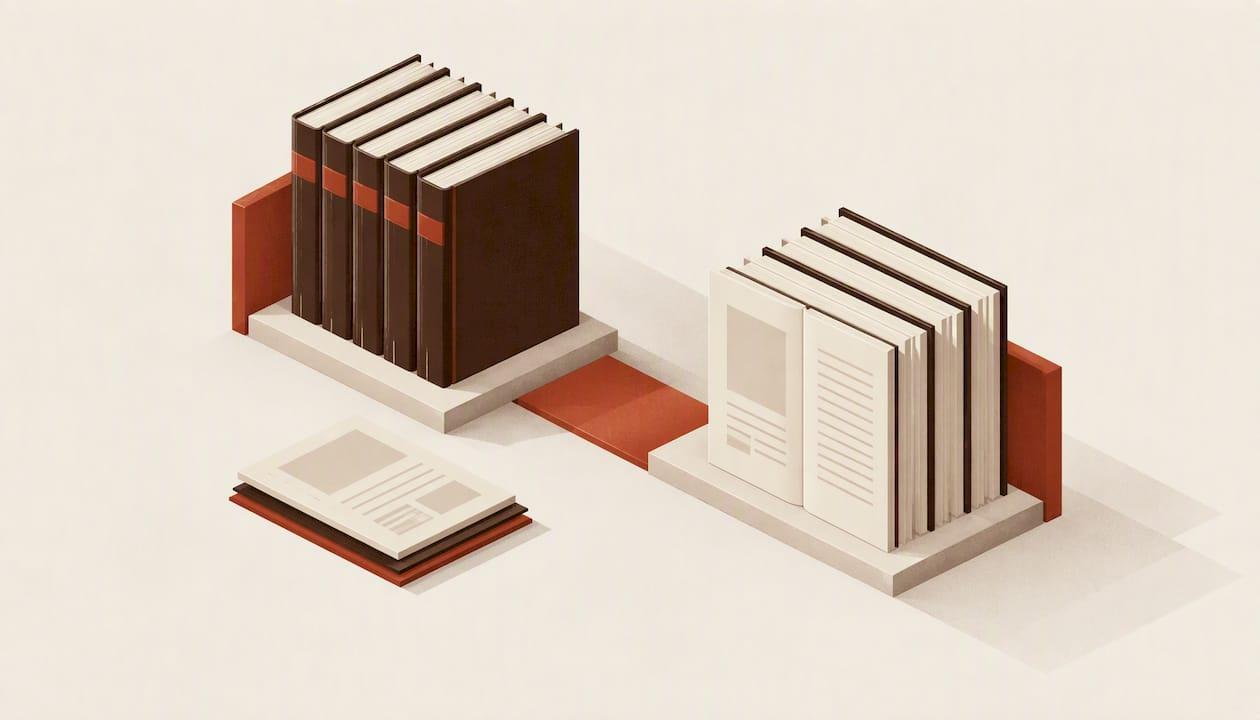
Formatting a series means making book one, book five and the box set look like they came from the same hand, and making their metadata agree everywhere a retailer reads it. The method is simple: lock one style sheet, lock one set of series details, build front and back matter from templates, and run the same checks on every volume before you upload.
This guide walks through that workflow in order. It covers the typography you fix once, the series information that must match across files and dashboards, the pages that link your books together, and how to handle updates when book six changes the numbering of the whole run.
Key takeaways
- Decide trim size, fonts, chapter openers and scene breaks once, then reuse them for every volume. Changing them mid-series is what makes a run look uneven.
- Series name, volume number, title and author name must read identically in your manuscript, your EPUB metadata and your retail dashboard. Retail platforms lock some details after publishing, so settle them before you upload.
- Put the next book in the series where the reader finishes, not buried in a long list of past titles.
- Run the same preflight list on each volume: trim, bleed, margins, fonts, front matter order, EPUB validation.
- Update back matter in earlier books each time a new one releases, and plan for that from book one.
Table of Contents
- Why series formatting is a different job from formatting one book
- Build a series style sheet before you format book one
- Match your series details everywhere
- Front and back matter that link the series together
- Print specifications that must not drift
- EPUB consistency across volumes
- Our perspective: a series is a system, not a pile of files
- A batch workflow for a series
- Where Alhora fits
- What formatting cannot protect
- FAQ
- Sources
Why series formatting is a different job from formatting one book
A single book has to be correct. A series has to be correct and consistent. Readers who finish book one in paperback and buy book two notice if the margins shifted, the chapter headings changed typeface, or the spine layout looks off on the shelf. They rarely name the problem, but they register it as a drop in care.
The Authors Guild makes the underlying point for self-published authors: you act as your own quality control, and inconsistent fonts or incorrect margins read as amateur work to readers, reviewers and potential partners. Across a series, a small inconsistency repeats and compounds.
There are three layers to manage:
- Design layer: trim size, margins, fonts, spacing, chapter openers, ornaments.
- Content layer: title page, copyright page, series page, author note, next-book call-to-action.
- Data layer: series name, volume number, ISBNs, categories, descriptions, keywords.
Most series problems come from the data layer, because it lives in several places at once: the manuscript, the EPUB package file, the print files and each store dashboard.
Build a series style sheet before you format book one
The cheapest moment to make a decision is before volume one is typeset. Write down your choices in a one-page style sheet and keep it with the project files. If you work with a freelancer, hand it over with the manuscript.
What to put in the style sheet
| Element | Decide once | Why it matters across volumes |
|---|---|---|
| Trim size | For example 5 x 8 in or 5.5 x 8.5 in | Different trims make a shelf set look mismatched and change page counts |
| Body font and size | Family, point size, leading | Keeps the reading texture identical |
| Chapter opener | Number or title, drop cap, ornament, start position | The most visible repeated element in the book |
| Scene break | Ornament, blank line or glyph | Must survive the move from print to EPUB |
| Running heads | Author on verso, title on recto, or series name | Needs a rule for later volumes with long titles |
| Margins and gutter | Inside, outside, top and bottom | Gutter must scale with page count |
| Front matter order | A fixed sequence | Reused by every volume |
| Back matter order | Next book, series list, author note, reviews request | Updated per release |
For the novel-specific details, such as indents, first-paragraph rules and dialogue spacing, our novel interior style guide for print and ebook covers the reasoning behind each default.
Pick a trim size you can live with for the whole run
Trim size is the one decision you cannot change later without reflowing every page of every book. Check that your chosen size is available on each print platform you plan to use, and think about the longest book you might write. A 600-page finale in a size chosen for a 220-page opener may need a different gutter and may hit paper or binding limits. Choose with the thickest likely volume in mind.
Keep typography automatic wherever possible
Justification, hyphenation, and widow and orphan control are the settings most likely to drift when you rebuild a book months later. If those rules are saved in a template rather than applied by hand, book four gets the same rag and the same line breaks logic as book one. Hand-adjusting individual paragraphs in a word processor is the habit that breaks series consistency fastest.
Match your series details everywhere
This is where most upload errors happen. The research is blunt about it: a mismatch between the series information in your manuscript and in your dashboard can interfere with the linking features that make a series discoverable, and even minor differences such as a nickname or slightly different series naming can get a title flagged.
Treat these fields as a single source of truth:
- Title and subtitle, exactly as they appear publicly
- Author name and contributors
- Series name, spelled and capitalized one way
- Volume number, as a numeral
- Edition notes
A practical rule: write them once in a text file, copy from that file into the title page, the EPUB metadata and every dashboard, and never retype.
Series metadata inside the EPUB
Stores read series information from the EPUB package, not from your title page. If the series name and position are missing or inconsistent there, the retailer may not group your books. Our guide to series metadata in EPUB shows how to set the fields correctly, and the broader book metadata best practices timeline helps if you are preparing several titles at once.
ISBNs across formats and volumes
Each format of each volume needs its own identifier where the platform requires one. Keep a simple table of volume, format, ISBN and publication date, and store it beside the style sheet. If you are unsure which identifiers you need, read what indie authors need to know about ISBNs before you assign numbers across a run.
Front and back matter that link the series together
The pages around your story do most of the series-building work. The question to ask of each page is what it is there to do. A title page identifies the book, a contents page helps navigation, and an author or series page gives interested readers somewhere to go next.
A reusable front matter order
A workable sequence for most novels in a series:
- Half title (print)
- Series card or "Also by" page, short version only
- Title page
- Copyright page
- Dedication
- Epigraph, if used
- Table of contents (essential in EPUB)
- Chapter one
Keep the "Also by" list short in front matter. Long lists push the story down the page, which matters in ebook sample downloads where readers judge the book by the first screens. Our 12-item front matter order goes through the order that avoids rejected uploads, and the copyright page templates give you wording you can reuse in each volume with only the edition details changed.
On legal text, avoid stuffing the page with generic boilerplate. The same guidance warns against cluttering these pages with legal filler or heavy promotion that detracts from reading.
Back matter: put the next book first
Readers who have just finished a chapter are at their most likely moment to buy. The next book in the series should appear prominently at the very end of the final chapter, not at the bottom of a long list of earlier works. A strong back matter sequence is:
- Next book in the series: cover, one-line hook, link (in ebooks) or title and release information (in print)
- Full series list in reading order
- Short author note
- Review request
- Newsletter or author page link
In print you cannot link, so state the title and, if known, the release window. In ebooks, link to the store page for the reader's own retailer rather than only one store.
The series list needs an owner
Every new release changes the back matter of every earlier book. Decide now who updates it, and where the master list lives. A series list that stops at book three while book six is live is a common and avoidable error.
Print specifications that must not drift
Print adds numeric constraints. Two checks matter most in a series.
Bleed. If any element, such as a decorative chapter header or a full-page image, runs to the page edge, you need bleed. IngramSpark's file guide specifies 0.125 in (3 mm) of bleed added on the three trim edges and notes that printing and binding allow a small variance, so text or images too close to the trim could be cut. Build safe margins into the template, not individual books.

Gutter. Page count changes the inside margin you need. When book three is 150 pages longer than book one, reuse the style, not the exact inside margin. Recalculate the gutter for each page count and confirm it in a proof.
Our paperback formatting checklist lists the platform checks, and the proofing guide explains what to look for before you approve a file. Order a physical proof of at least the first volume and any volume whose length differs a lot from the rest.
EPUB consistency across volumes
Ebooks fail differently from print. The risks in a series are:
- A navigation contents page that differs between volumes, or is missing
- Scene breaks that become blank space on some devices
- Fonts embedded in one volume and not another
- Series metadata present in book one and forgotten in book four
- Inconsistent cover image dimensions
Validate every EPUB with the same tool and the same settings. If accessibility matters to you, and it should, treat the validation report as a gate: do not export until errors are cleared. For the full process, see our step-by-step guide to formatting an ebook for self-publishing.
Our perspective: a series is a system, not a pile of files
We build Alhora around a belief that a series should be handled as one project with shared rules, not as five separate documents that happen to share a name. When authors tell us formatting is painful, the pain is rarely the first book. It is book four, when they cannot remember which chapter opener they used, which font version they embedded, or what they typed in the series field.

So we put the rules where they can be reused: typography that is applied automatically, batch formatting across a series, metadata and ISBN management in the same project, and validation against publishing standards while you work rather than after a rejected upload. Our AI assistant, Inkia, flags issues but never writes or alters your creative content. The words stay yours, and that matters to us as much as the layout.
Our advice is simple. Spend one afternoon on the style sheet and the data file before you format volume one. It will save you far more time than any tool can recover later.
— James
A batch workflow for a series
Here is a repeatable process, whether you use a dedicated tool or a careful template system.
- Create the style sheet and data file. Trim, fonts, openers, scene breaks, series name, volume numbers.
- Format book one fully. Treat it as the template for everything else.
- Save it as a template. Strip the text, keep styles, front matter and back matter structure.
- Import each manuscript. Apply styles, never override by hand.
- Update the series list. Back matter in all volumes, in reading order.
- Run preflight on each volume. Trim, bleed, margins, fonts, contents, metadata.
- Export and validate. Print PDFs and EPUBs, each checked.
- Proof one physical copy of any volume with a big change in page count.
- Upload with copied, not retyped, metadata.
- Log the release. Date, ISBNs, file versions.
When a new book launches, repeat steps 4 to 10 for the new volume, then reopen steps 5 to 9 for earlier books to refresh back matter.
Common mistakes to avoid
- Changing the interior design to "freshen" it in a later volume
- Using a different dash, quote or ellipsis style between books
- Listing the series with a different name on the title page and in the dashboard
- Forgetting to update book one's back matter, which is usually your best-selling entry point
- Skipping the proof on a much longer volume
Where Alhora fits
If you format series regularly, a tool that holds styles, metadata and checks in one place saves repeated work. Alhora is a book formatting studio that turns manuscripts into typeset ebooks and print editions on Mac, Windows, Linux and ChromeOS. It supports batch series formatting, trim, bleed and gutter checks, a proof simulator, metadata and ISBN management, and accessible EPUB export that is gated by an audit. The published price is £99 one-off.
You can see how it works on your system on the Mac or Windows pages, or start at Alhora. If you are still deciding what you need, how to choose book formatting software lays out the criteria. Once your books are done, the book royalty calculator helps you compare KDP and IngramSpark returns per volume.
What formatting cannot protect
One point for authors who worry about copycats. The U.S. Copyright Office states that copyright extends only to original works of authorship and treats layout elements such as typography and page numbering as outside protection. A distinctive series look is a branding asset, but the law does not protect the layout itself. If brand protection matters to you, speak with an intellectual property attorney about trademark options for your series name and logo.
FAQ
Should every book in a series use the same trim size?
Yes, wherever possible. A uniform trim keeps the books looking like a set and lets you reuse one template. Choose a size that works for your longest likely volume and confirm that your print platforms support it.
How do I update earlier books when a new one is released?
Keep a master series list and update the back matter in each earlier volume, then re-export and re-upload. In ebooks, replace the file and check the retail preview. Do the update in a batch so the lists never disagree.
Does the series name have to match the store dashboard?
It should match exactly. Small differences in series naming or author names can cause automated systems to flag a title. Keep one master text file and copy from it every time.
What belongs on a series page in the book?
A reading-order list with titles, and ideally a link in the ebook to each. Keep it short in front matter and put the fuller list in back matter, after the call-to-action for the next book.
Do I need a different cover template for each volume?
No, you need a consistent system: same typography, grid and color logic, with variations for each title. Keep spine width calculations separate for each print volume because page count changes it.
Sources
- How to Publish a Book on Amazon KDP Step by Step
- KDP Front Matter and Back Matter: Complete Guide
- How to Submit a Book Without an Agent, The Authors Guild
- IngramSpark File Creation Guide
- Literary Works, U.S. Copyright Office