
The standard sequence runs half-title, title page, copyright page, dedication or epigraph, optional endorsements, table of contents, then foreword, preface, acknowledgments, prologue, and introduction before the first chapter begins. Not every book needs all of these. Print editions typically carry the full set; ebooks usually trim the half-title and any lengthy praise pages to get readers into the story faster. The sections below cover exact placement rules and how each platform expects prelims formatted.
TL;DR:
- Ensuring the front matter follows the correct order is crucial, especially for print books, to meet retailer and librarian approval.
- The table of contents must match chapter headings exactly and should be built last, after finalizing all chapter titles and formatting.
- Ebooks typically omit sections like the half-title, endorsements, and lengthy praise pages to allow quicker access to content.
- Proper formatting includes starting chapter one on a recto page, with front matter pages on specific sides, and using Roman numerals for preliminary pages.
- Quoting copyrighted material in dedications or epigraphs requires permission unless the work is in the public domain.
Table of Contents
- What Order Should Front Matter Pages Follow?
- How Should Each Front Matter Page Be Formatted?
- Where Do Prelim Pages Go on the Physical Page?
- Do Ebooks and Print Books Need the Same Front Matter?
- A Front Matter Checklist You Can Copy Into Your Manuscript
- How Alhora Keeps Front Matter Export-Ready
- When Does a Dedication Cross a Legal Line?
- How Did Front Matter Conventions Come to Be?
- Format Your Book With Confidence
- What Do Authors Get Wrong Most Often About Front Matter?
- Sources
What Order Should Front Matter Pages Follow?
Getting the sequence right matters more than most authors expect, because retailers, librarians, and print services all check for the same pattern before they approve a file. Here's the order publishers and platform guides consistently recommend, from the first page after the cover to the start of chapter one:
- Half-title page — shows just the book's title, no subtitle or author name; often skipped in ebooks and shorter print runs.
- Title page — full title, subtitle, and author name; considered required in nearly every print edition.
- Copyright page — legal notice, publication year, rights statement, and ISBN; required.
- Dedication or epigraph — a personal note or quote; entirely optional.
- Endorsements or reviews — praise quotes from other authors or critics; optional, and far more common in print than in ebooks.
- Table of contents — chapter list matching body headings exactly; required for nonfiction, expected but sometimes skipped in genre fiction ebooks.
- List of figures or tables — only for books with numbered illustrations or data tables, such as textbooks or technical guides.
- Foreword — written by someone other than the author, usually to lend credibility; optional and genre-dependent.
- Preface — the author's own note on the book's origin or purpose; optional.
- Acknowledgments — thanks to editors, agents, or supporters; optional but common.
- Prologue — a scene or narrative hook that precedes chapter one; fiction only, optional.
- Introduction — sets up the book's argument or approach; common in nonfiction, rare in fiction.
Academic and reference books often add a list of abbreviations or a note on methodology here. Illustrated books and children's picture books frequently drop everything except the title and copyright pages, since young readers and gift-book buyers don't want six pages of legal text before the story starts. The KDP formatting help lays out this same core sequence as the retailer's expected default for print interiors.
How Should Each Front Matter Page Be Formatted?
Each page in this sequence carries its own small set of rules, and getting them wrong is one of the fastest ways to make a self-published book look amateur next to a traditionally published one.
- Half-title and title page. The half-title carries only the book's title, nothing else. The title page adds the subtitle and author name, but skip the word "by" before the author's name. It's a holdover from manuscript formatting that professional book design dropped decades ago.
- Copyright page. Include the copyright notice (© symbol, year, author or publisher name), a rights statement ("All rights reserved" or similar), the ISBN, and publisher imprint if you're using one. Copyright wording varies by jurisdiction, so consult an attorney if you want language beyond the standard boilerplate KDP recommends.
- Dedication and epigraph. Keep both short. A dedication is usually a single line; an epigraph is a quote with attribution. Neither needs a heading.
- Endorsements. Place these before the title page in print if you have strong blurbs you want a browsing reader to see first, or right after the title page if you'd rather lead with your own branding. Most ebook formatting skips this section to keep the sample short.
- Table of contents. Every entry has to match the body heading word for word. A TOC that says "Chapter One: The Departure" when the chapter itself just says "Chapter One" will get flagged by readers and by Reedsy's own formatting guidance, which stresses this exact alignment.
- Foreword vs. preface vs. introduction. A foreword is written by someone else, vouching for the book. A preface is the author explaining why or how the book came to be. An introduction sets up the argument that follows. Acknowledgments and prologues are self-explanatory by name but easy to place in the wrong order.
Pro Tip: Build your table of contents last, after your manuscript is fully paginated and every heading is final. Building it early almost guarantees mismatched entries once you revise a chapter title.
Where Do Prelim Pages Go on the Physical Page?
Print books alternate recto (right-facing, odd-numbered) and verso (left-facing, even-numbered) pages, and front matter follows a fairly rigid pattern here. The half-title and title page conventionally start on recto pages. The copyright page falls on the verso immediately behind the title page, which is why it often looks tucked away and easy to miss.
- Front matter typically uses lowercase Roman numerals (i, ii, iii) for pagination, while the body switches to Arabic numerals starting at 1 on chapter one.
- Many of the early prelim pages (half-title, copyright) don't display a visible page number at all, even though they're still counted.
- Chapter one conventionally starts on a recto page. If your last prelim page lands on a recto, you insert a blank verso page to force the shift.
- Running headers, when used, often show the author's name on verso pages and the book title on recto pages.
Checking these details before export saves a rejected upload. Alhora's automatic checks for forcing chapter starts onto the correct page side catch this exact issue before it reaches a proof.
Do Ebooks and Print Books Need the Same Front Matter?
Ebooks generally carry less front matter than print editions, and that's by design, not laziness. Amazon and other retailers let readers preview a percentage of the file, so padding it with a half-title and three pages of endorsements just delays the moment a browsing reader hits the actual story.
- Drop the half-title page and any lengthy praise or endorsement section in most ebook builds.
- Keep the title page and a shortened copyright page. Both still need accurate metadata for retailer catalogs.
- Build a proper EPUB navigation document (the nav file or NCX) so e-readers can jump directly to chapters, not just scroll page by page.
- Test your table of contents links in more than one reading app. A TOC that works in Apple Books can behave differently in a Kobo reader.
- Keep ISBN and imprint details on the copyright page for both formats, but expect the print ISBN and ebook ISBN to be different numbers entirely.
Alhora's ebook formatting guide walks through generating and testing that navigation file so it holds up across devices.
A Front Matter Checklist You Can Copy Into Your Manuscript
Keep this list next to your manuscript while you assemble prelims, and check off each item before you export a final file.
| Element | Typical status | Quick placement rule |
|---|---|---|
| Half-title | Optional | Recto, title only |
| Title page | Required | Recto, no "by" |
| Copyright page | Required | Verso, right after title |
| Dedication/epigraph | Optional | Recto, short |
| Endorsements | Optional | Before or after title page |
| Table of contents | Required (nonfiction) | Matches body headings exactly |
| Foreword/preface | Optional | Before introduction |
| Acknowledgments | Optional | Near end of prelims |
| Prologue/introduction | Optional | Immediately before chapter one |
For a bare-bones template: half-title reads just "[Title]," the title page reads "[Title], [Subtitle], [Author]," and the copyright page opens with "© [Year] [Author]." Decide early whether you're exporting prelims as part of one continuous manuscript file or as separate files merged during layout. Either works, but keep your metadata (title, author, ISBN) consistent across every file you generate.
How Alhora Keeps Front Matter Export-Ready
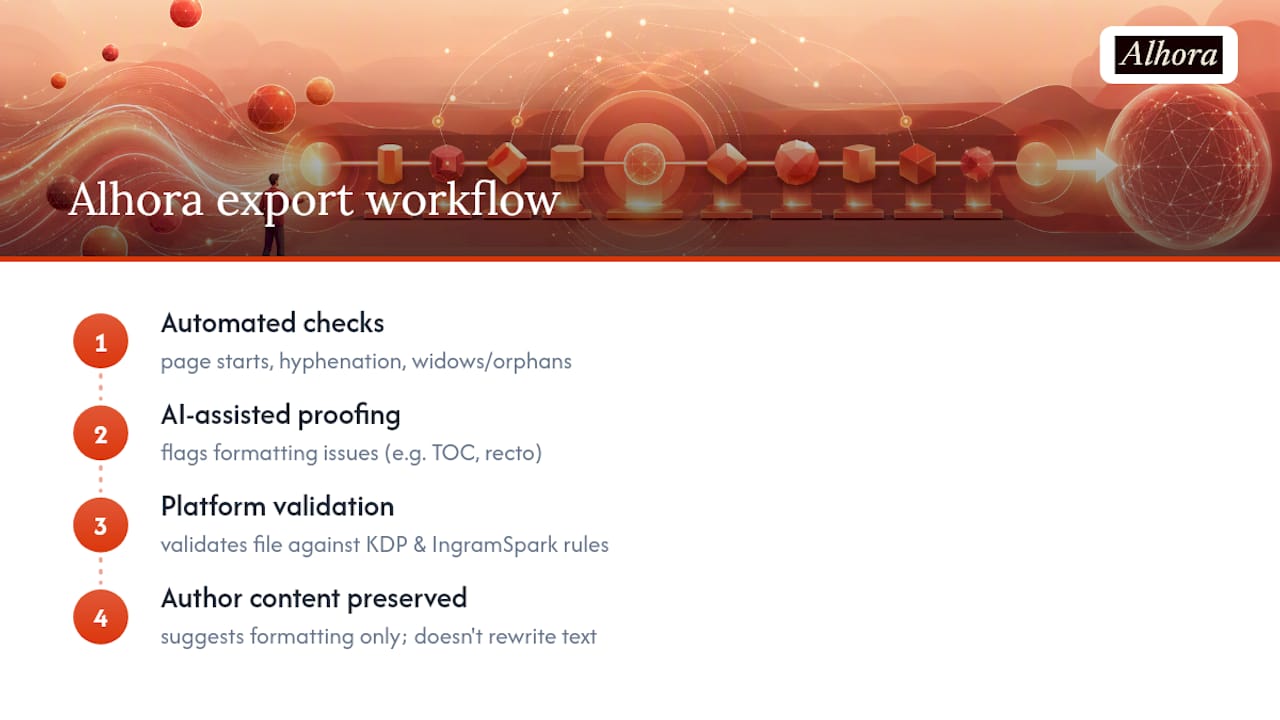
Alhora runs automatic checks on page starts, hyphenation, and widow and orphan lines across every prelim and body page, then validates the finished file against platform rules for KDP and IngramSpark. Its AI-assisted proofing flags formatting issues like a mismatched TOC entry or a missing recto start, but it never rewrites your dedication or your preface. You stay the author of every word; Alhora just checks the platform-specific formatting around it.
When Does a Dedication Cross a Legal Line?
A dedication or acknowledgment feels like the safest page in the book, and mostly it is, but a few habits can create real problems. Naming a real person without their consent in a dedication is rarely a legal issue, but quoting someone else's words in an epigraph without permission can be. Song lyrics, poetry, and even short quotes from other books are often still under copyright, and "it's just a few lines" isn't a legal defense.
If you want to open a chapter with a Bob Dylan lyric or a stanza from a living poet, you generally need written permission from the rights holder, not just an attribution line. Public domain works, generally anything published before 1929 in the United States and adjusted annually, are safer territory, but the cutoff shifts each year and varies by country. When in doubt, either paraphrase the idea instead of quoting it directly, or contact the rights holder before your manuscript goes to layout.
Endorsements carry their own ethical wrinkle: never publish a blurb you invented or one an author didn't actually approve in that exact wording. Reviewers and fellow authors notice when their name gets attached to language they never wrote, and it's the kind of mistake that damages trust fast in a small publishing community. If a publisher, like Maroon House Press, sets its own submission expectations around front matter content, following those norms early saves a rewrite later.
How Did Front Matter Conventions Come to Be?
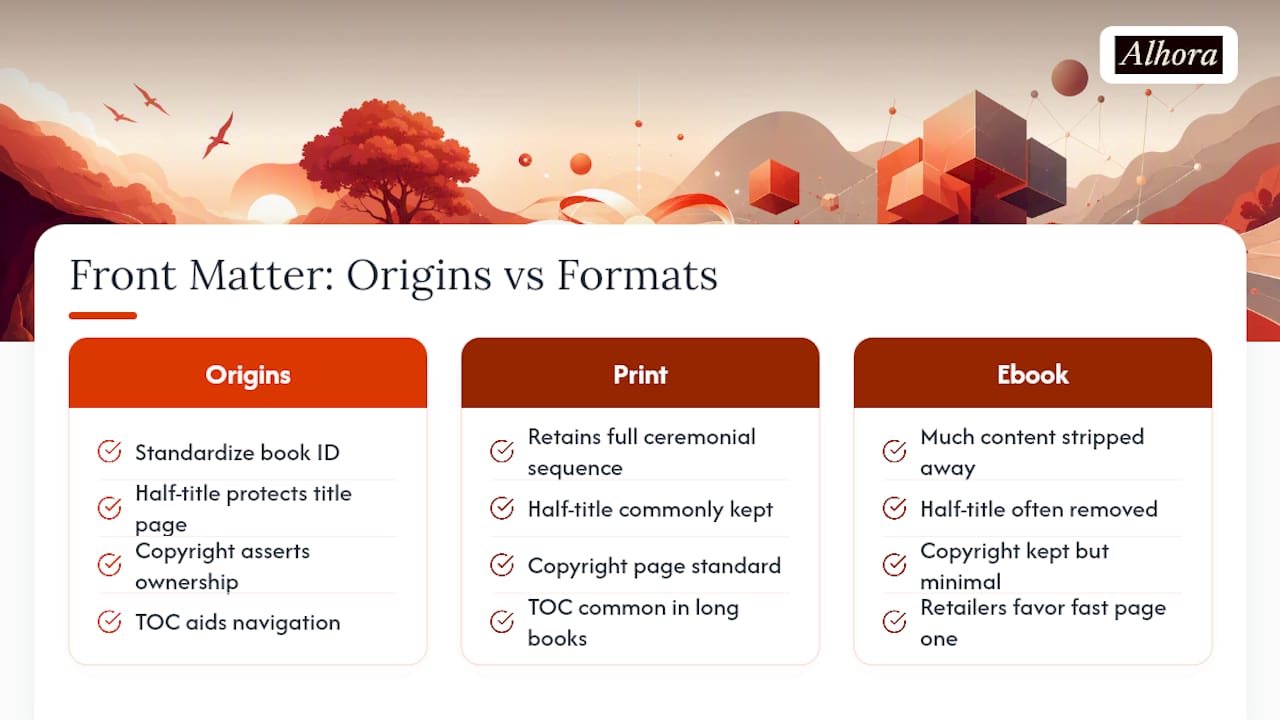
The front matter format authors use today traces back to the early printing press, when publishers needed a standardized way to identify a book's title, printer, and legal ownership before movable type made copying trivially easy. The half-title page actually started as a practical necessity: booksellers would leave a book unbound for long stretches, and the half-title protected the ornate title page underneath from dust and handling during that time.
Copyright pages became standard once formal copyright law took shape in the 18th and 19th centuries, giving publishers a place to assert legal ownership in unambiguous language. Tables of contents grew more common as books grew longer and readers needed a way to navigate without flipping through every page. Forewords and prefaces, meanwhile, reflect an older publishing culture in which a respected figure's endorsement carried real weight in a reader's buying decision, a tradition that persists in blurbs and endorsement pages today.
What's changed most in the last decade is not the order itself but how much of it survives into digital formats. Print retained the full ceremonial sequence because physical books are a tactile, unhurried medium. Ebooks stripped much of it away because retailers measure success in how fast a reader reaches page one. The Author Learning Center's guidance on interior structure reflects this same split between print tradition and digital pragmatism.
Format Your Book With Confidence
Once your front matter order is locked in, the fastest way to avoid rejected uploads is formatting software built around platform rules rather than generic word processing defaults. Alhora's ebook formatting tools handle EPUB navigation, metadata, and export validation automatically, and its KDP-specific formatting checks catch page-start and pagination issues before you upload. You keep full creative control over every word; Alhora just makes sure the pages behind those words meet the standard readers and retailers expect.
What Do Authors Get Wrong Most Often About Front Matter?
The mistake I see repeated most often is a table of contents that quietly drifts out of sync with the manuscript. An author finalizes chapter titles, builds the TOC, then tweaks a heading two drafts later and forgets to update the corresponding TOC line. It's a small gap, but it's the fastest way to make a book look unfinished to a careful reader.
The second common error is letting chapter one land on a verso page instead of forcing it to recto, which throws off every page number that follows. Both mistakes are easy to catch if you proof a full print PDF and an EPUB separately, then run an actual navigation test by tapping through your ebook's table of contents on a real device before you hit publish.
— James
Sources
- Format Front Matter, Body Matter and Back Matter
- Parts of a Book: Front Matter, Back Matter and More
- Interior Parts of a Book: Front Matter, Text, and Back Matter