
The best Kindle Create alternative depends on what you need beyond a KPF file. If you want a typesetting engine on any desktop, live validation and files for every store, we built Alhora for that job. If you only need EPUB conversion, Calibre is free. If you want one-time pricing without a subscription, Jutoh and Alhora both qualify. If you are comparing stores such as Kobo, Apple Books, B&N Press and IngramSpark, those are distribution channels, not formatting tools, and the difference matters.
This guide sorts the options by job, lists what each does and costs where a source confirms it, and ends with a checklist for testing any tool before you commit.
Key Takeaways
- Kindle Create turns DOC or DOCX files into reflowable ebooks and exports a KPF file for KDP. It is built around one store, so authors who sell wide need a tool that exports standard files.
- Formatting tools (Alhora, Jutoh, InDesign, Affinity, Calibre) make the file. Platforms (Kobo Writing Life, Apple Books, B&N Press, IngramSpark) sell or distribute it. Most authors need one of each.
- Alhora costs £99 one-off, runs on Mac, Windows, Linux and ChromeOS, and validates your manuscript against publishing standards as you work.
- Whatever you choose, test the EPUB in at least two reading systems, run a standards check and order a physical proof.
Table of Contents
- What Kindle Create does, and where authors outgrow it
- How to compare the alternatives
- Kindle Create alternatives at a glance
- Formatting tools
- Platforms that distribute your book
- Which tool fits which author
- Our perspective
- Try Alhora on your own manuscript
- Test any alternative before you commit
- FAQ
- Sources
What Kindle Create does, and where authors outgrow it
Kindle Create imports DOC or DOCX files, converts them into reflowable ebooks and can also prepare print books. Its export is a KPF file for submission to KDP, according to Amazon's own help page. That is a clean path if Amazon is your only store.
Authors start looking elsewhere for a few common reasons:
- You sell wide. Kobo, Apple Books, Google Play Books and Draft2Digital expect EPUB, and each runs its own checks.
- You want more typographic control. Custom fonts, drop caps, hyphenation and widow and orphan control are the details that separate a professional interior from a converted Word file.
- You format a series. Repeating the same front matter, trim size and styles across five books by hand invites mistakes.
- You want feedback before upload. Finding a rejection after submission costs days.
How to compare the alternatives
Use six criteria and score each tool against them:
- Output files. EPUB, print-ready PDF, or both. Does it cover reflowable and fixed layout?
- Operating systems. Mac only, Windows only, or all of them.
- Validation. Does it flag EPUB errors, trim, bleed and gutter problems before you export?
- Series handling. Can you apply one design to many books?
- Pricing model. Free, subscription, or one-time purchase.
- Where the book goes next. Does the tool help with metadata, ISBNs and store requirements?
Kindle Create alternatives at a glance
| Option | Type | Main output | Pricing model |
|---|---|---|---|
| Alhora | Formatting studio | EPUB and print-ready PDF | £99 one-off |
| Jutoh | Formatting software | Ebook and print PDF | One-time purchase |
| Adobe InDesign | Professional layout | Complex, illustrated, design-led books | Subscription |
| Affinity (Layout persona) | Layout app | Reflowable and fixed-layout EPUB, print PDF | Free |
| Calibre | Conversion tool | Ebook conversion | Free, open source |
| Kobo Writing Life | Distribution | Sells your finished file | Free to publish |
| B&N Press | Distribution and print | Sells ebooks and print books | Free to publish |
| IngramSpark | Distribution and print | Retail and library distribution | Fees by service |
Formatting tools
Alhora
Alhora is a book formatting studio that turns a manuscript into a typeset ebook and print edition. It runs on Mac, Windows, Linux and ChromeOS, which matters if your laptop is not a Mac. The one-off license is £99.
What it does for the criteria above:
- Output. Ebook and print-ready PDF files for KDP, IngramSpark, Draft2Digital, Apple Books, Kobo and Google Play.
- Typography. Automatic justification, hyphenation, widow and orphan control, drop caps and custom fonts.
- Validation. Trim, bleed and gutter checks, a proof simulator and live validation against publishing standards. Accessible EPUB export is gated by an audit.
- Series. Batch formatting for series, plus metadata, ISBN management and version control.
- AI. An assistant called Inkia flags issues. It does not write or alter your creative content.
See the full feature list or the pricing page for plan options. If your first target is Amazon, our KDP book formatting page walks through ebook and paperback setup.
Jutoh
Jutoh is available as a one-time purchase and generates ebook files and print PDFs, which suits authors who want to avoid subscriptions, according to a 2026 comparison of formatting tools. It is a capable converter. Check its current OS support and templates on the vendor's site before buying.
Adobe InDesign
InDesign is subscription-based and is the professional standard for complex, illustrated or design-led books, per the same comparison. Cookbooks, art books and heavily designed nonfiction justify it. A straight novel rarely does. If you already use it, our guide on making accessible EPUBs from InDesign covers the export checks.
Affinity Layout
Affinity's free unified app, relaunched in late 2025, includes a Layout persona that supports reflowable and fixed-layout EPUB and print PDF export, as a hands-on 2026 comparison with InDesign describes. It is a design tool first. You build the book yourself and run your own validation.
Calibre
Calibre is a free, open-source tool mainly used for ebook conversion and management. It does not provide native print-interior formatting, as the comparison above notes. It works well as a testing and conversion companion to any other tool on this list.
Platforms that distribute your book
Searches for Kindle alternatives often mean the store, not the formatter. These platforms accept a finished file. They do not replace a tool that makes it.
Kobo Writing Life
Kobo's US page says account creation and self-publishing are free, you keep your rights without exclusivity and you set your own prices and pre-orders. It advertises royalties of up to 70%, ebooks and audiobooks, optional OverDrive library distribution, Kobo Plus and availability in over 190 countries. Before uploading, review our guide to Kobo EPUB formatting.
Apple Books
Apple Books for Authors reports next-day sales data. Authors earn 70% royalties on ebooks at every price, with no hidden fees or exclusivity requirements.
B&N Press
B&N Press states that publishing is free, with no hidden fees or exclusivity. It supports hardcover and paperback books as well as ebooks and pays a flat 70% ebook royalty. Its example is a $6.99 ebook with a 70% author royalty.

IngramSpark

IngramSpark says ebook authors earn 85% of the net revenue it receives per sale, and ebook conversion costs $0.60 per page, according to its pricing page. With distribution enabled, it sends your metadata to retailers and libraries. Because it charges for conversion, a clean file from your own tool avoids that fee.
Which tool fits which author
| If you are... | Look for | Good fit |
|---|---|---|
| A first-time indie author | Guided templates, instant feedback | Alhora |
| A novelist with a series | Batch formatting, shared styles | Alhora |
| A freelancer making client files | Custom fonts, clean export, accessible EPUB | Alhora, InDesign |
| An illustrated-book designer | Full layout control | InDesign, Affinity |
| A budget-first author converting a manuscript | Free conversion | Calibre, Affinity |
| A publisher with a team | Seats, version control, validation | Alhora team plans |
Our perspective
Most formatting tools stop at the export button. The real work starts after it: a store rejects an EPUB, a print proof shows a gutter too tight, a series drifts out of sync between book one and book four.
We built Alhora around that. Our typesetting engine is designed to match the class of Vellum on every desktop OS, not only on Mac. Validation runs while you write, so errors surface before upload. Beside the book sits a World and continuity desk for series work, and a publishing desk for ARCs, narration, direct sales and a signed proof of human authorship.
Our AI checks and operates, but it never writes a word. We think that is the right line: your voice stays yours, and the tool handles the mechanical risk. Other tools format or draft. We aim to take a finished manuscript all the way to readers.
James
Try Alhora on your own manuscript
If you are leaving Kindle Create because you need EPUB and print files that pass every store, start with our ebook formatting software page. Alhora is a £99 one-off license, with monthly and annual options listed on the pricing page.
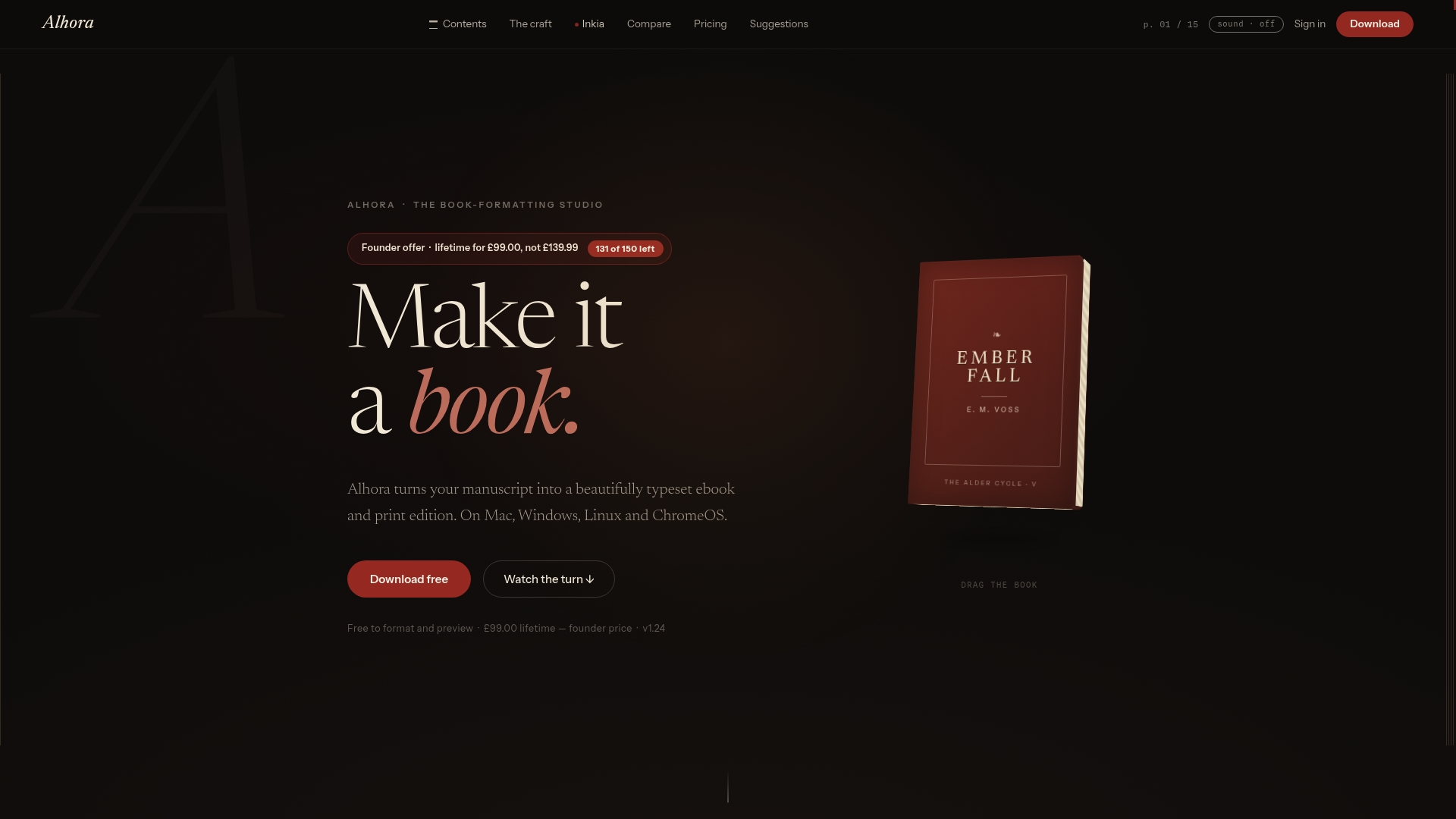
Import your manuscript, apply a design, run the checks and export. If you plan to sell on Google Play Books, our EPUB preparation guide shows what to test before upload.
Test any alternative before you commit
Authors should check the exported EPUB in at least two reading systems, run a standards check and order a physical print proof, as the formatting comparison recommends. Turn that into a routine:
- Export a sample. Use a chapter with images, a list and a block quote.
- Run EPUBCheck. Our guide to fixing EPUBCheck errors explains common failures.
- Open it in two readers. Compare line breaks, fonts and chapter navigation.
- Check accessibility. Use the EPUB accessibility checklist.
- Order a print proof. Check margins, gutter and bleed on paper. Our book proofing guide lists what to look for.
- Confirm the EPUB version. Our note on EPUB 3 versus EPUB 2 shows why it affects store acceptance.
FAQ
Is Kindle Create the only way to format for KDP?
No. Kindle Create exports a KPF file, but KDP also accepts other manuscript formats. Check Amazon's KDP help for current accepted file types. A tool like Alhora exports standard EPUB and print-ready PDF files that also work for other stores.
What is the best free alternative to Kindle Create?
Calibre is free and open source for ebook conversion, but it has no native print-interior formatting. Affinity's free app includes a Layout persona with EPUB and print PDF export. Both need more manual work and your own validation.
Do I need a formatting tool if I use Kobo or B&N Press?
Yes. Those platforms distribute a finished file. Kobo Writing Life and B&N Press are free to publish on, but you still need a clean EPUB or print PDF from a formatting tool.
Can I avoid a subscription?
Yes. Jutoh is sold as a one-time purchase, and Alhora offers a £99 one-off license alongside its monthly and annual options. Compare against how many books you plan to publish.
Sources
- Prepare Reflowable and Print Books with Kindle Create (Amazon KDP)
- Best Book Formatting Software for Self-Publishers
- Adobe InDesign vs. Affinity Studio Layout comparison
- Kobo Writing Life
- Apple Books for Authors
- B&N Press
- IngramSpark pricing
- IngramSpark FAQ