
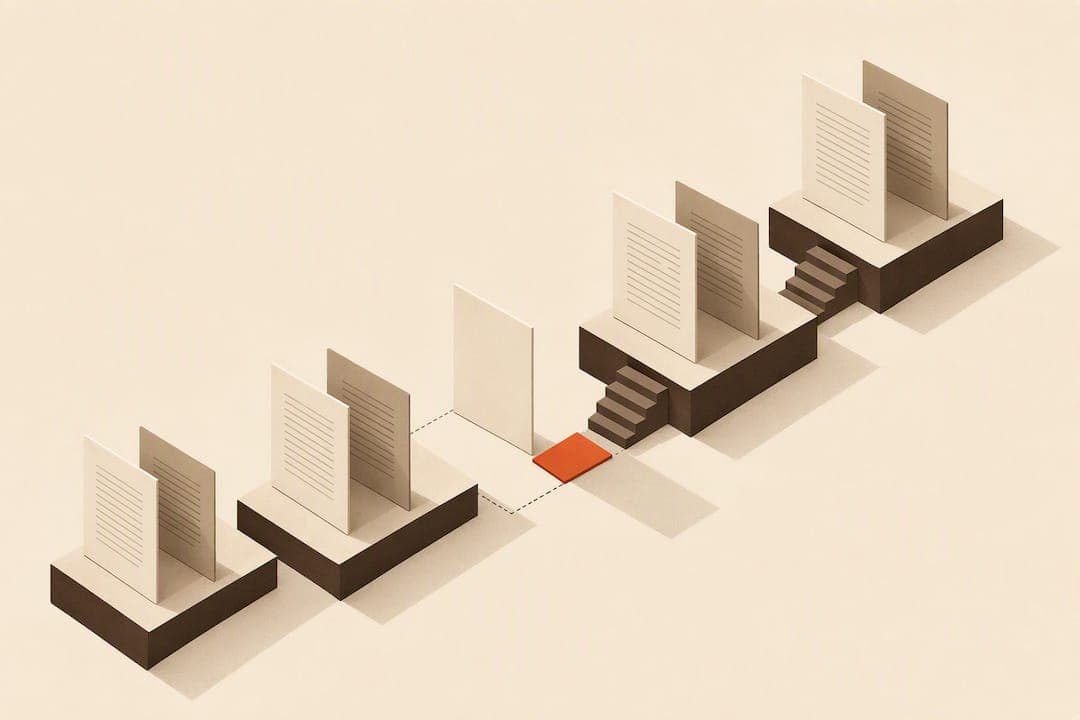
Use lowercase Roman numerals for front matter, count those pages but hide most of their printed numbers, then restart Arabic numbering at 1 on the first page of the main text, always on a right-hand (recto) page. Blank pages count in the sequence even when no number is printed on them. Most formatting tools need a section break or master page to make that restart happen automatically.
TL;DR:
- Most front matter pages use lowercase Roman numerals, while the main text starts at Arabic page 1 on a recto page, regardless of printed page number.
- Pages like title, copyright, and chapter openings are often unnumbered but still count in the sequence as blind folios.
- Chapter starts must always fall on right-hand (recto) pages, with blank verso pages inserted if a chapter ends on an odd page.
- Page numbers are typically placed at the bottom center for fiction or top outer corners for reference works, keeping clear of the gutter margin.
- Automated tools or software like Alhora can verify section breaks, chapter start pages, and blind folios, preventing common pagination mistakes before final export.
Table of Contents
- What Are the Rules for Book Page Numbering?
- Which Pages Stay Unnumbered in a Book?
- Why Does Page 1 Always Land on the Right?
- Where Should Page Numbers Go on the Page?
- How Do You Set Up Numbering in Word, InDesign, and Ebooks?
- What Pagination Mistakes Should You Check Before Export?
- An Author's Take on Pagination Pitfalls
- Let Alhora Handle Your Book's Pagination
- Sources
- FAQ
What Are the Rules for Book Page Numbering?
The pagination system book designers rely on splits a book into three zones: front matter, body, and back matter, each with its own numbering behavior. Front matter, everything before Chapter 1, gets lowercase Roman numerals (i, ii, iii). The main text restarts at Arabic numeral 1 on the opening page of the first chapter, and that page is always counted as page 1 even when the printed number is suppressed, according to Wikipedia's overview of book design. This convention dates back to letterpress-era printing, where front matter was often typeset last and needed a numbering system that would not force renumbering of the finished body pages.
A few exceptions matter for specific book types:
- Multi-part books (Part One, Part Two) usually keep continuous Arabic numbering straight through, rather than restarting at each part.
- Multi-volume works sometimes restart Arabic numbering at Volume 2, but library and academic conventions increasingly favor continuous numbering across volumes for easier citation.
- Technical manuals occasionally use chapter-based numbering (3-1, 3-2) so pages can be added to one chapter without renumbering the whole book.
- Academic and reference titles lean on the Chicago Manual of Style convention strictly, since citations depend on stable, predictable folios.
Fiction rarely strays from the standard front matter/body split. Non-fiction and academic works are where you will see the most variation, mainly because footnotes, indexes, and cross-references demand numbering that will not shift after the manuscript is finalized.
Which Pages Stay Unnumbered in a Book?
Printers call an unprinted page number a "blind folio," a page that is counted in the sequence but shows no visible number. This is standard, not an error, and it applies to a predictable set of pages, according to Carter Printing's glossary.
Pages commonly left as blind folios include:
- The half-title page
- The full title page
- The copyright page
- The dedication page
- Chapter opening pages throughout the body
Genre shapes how strictly this gets applied. Literary fiction almost always hides folios on every chapter opener. Reference books and textbooks sometimes print the number anyway, because readers flip to specific pages constantly and a missing folio slows them down.
The hidden number still occupies a slot in the count. If your title page is "page ii" with no printed number, your table of contents and internal page references still need to reflect that page as part of the sequence, or your TOC will point to the wrong physical page once the book is printed.
Why Does Page 1 Always Land on the Right?
Odd-numbered pages are recto, the right-hand page when a book is open. Even-numbered pages are verso, on the left. This is not a stylistic preference. It comes from how books are physically bound, and Michigan State University Libraries' page design guide confirms the convention holds across nearly all trade and academic printing. Chapter openers, part titles, and the first page of body text are expected to fall on recto pages.
When a chapter ends on an odd page, you need a blank verso page to keep the next chapter starting on recto. That blank page still counts in the sequence. It just carries no visible text or number.
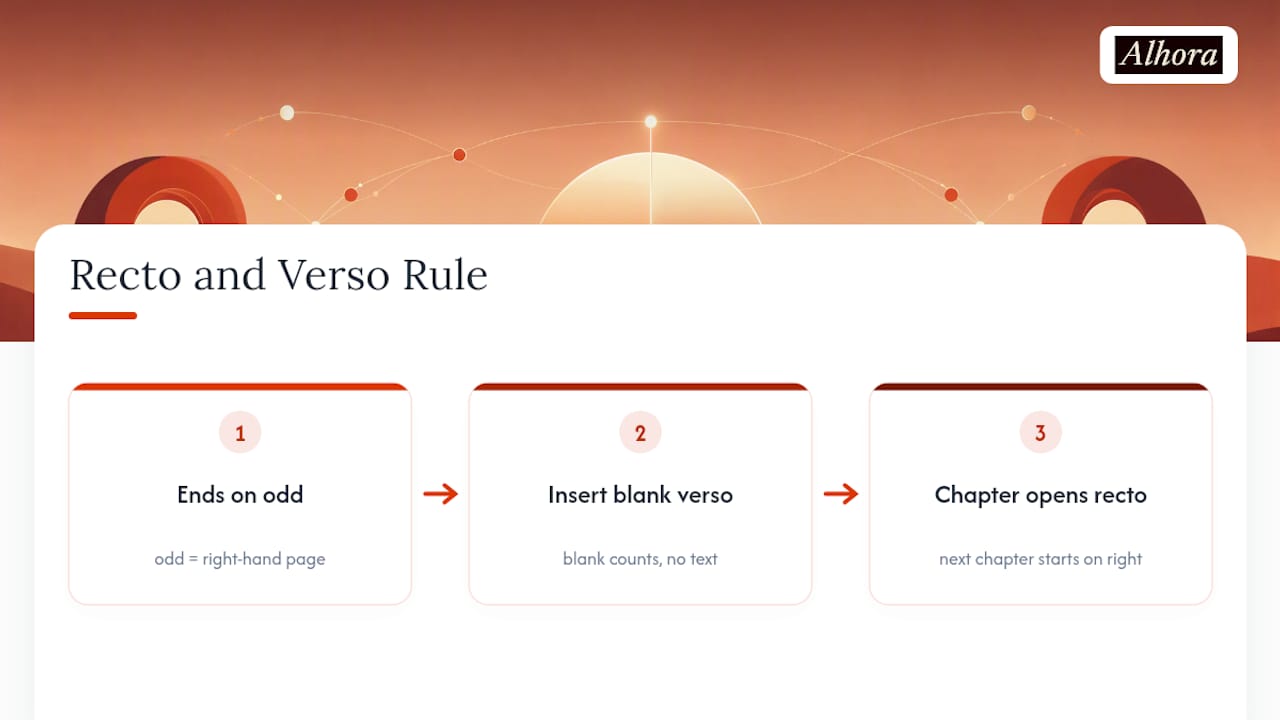
The most common way authors break this rule by accident: adding or deleting a paragraph late in editing shifts every page that follows, and a chapter that used to open on page 45 (recto) now lands on page 44 (verso). Fixing it means re-checking every chapter start after any substantial text edit, which is exactly the kind of manual recheck that dedicated formatting tools exist to catch automatically.
Where Should Page Numbers Go on the Page?
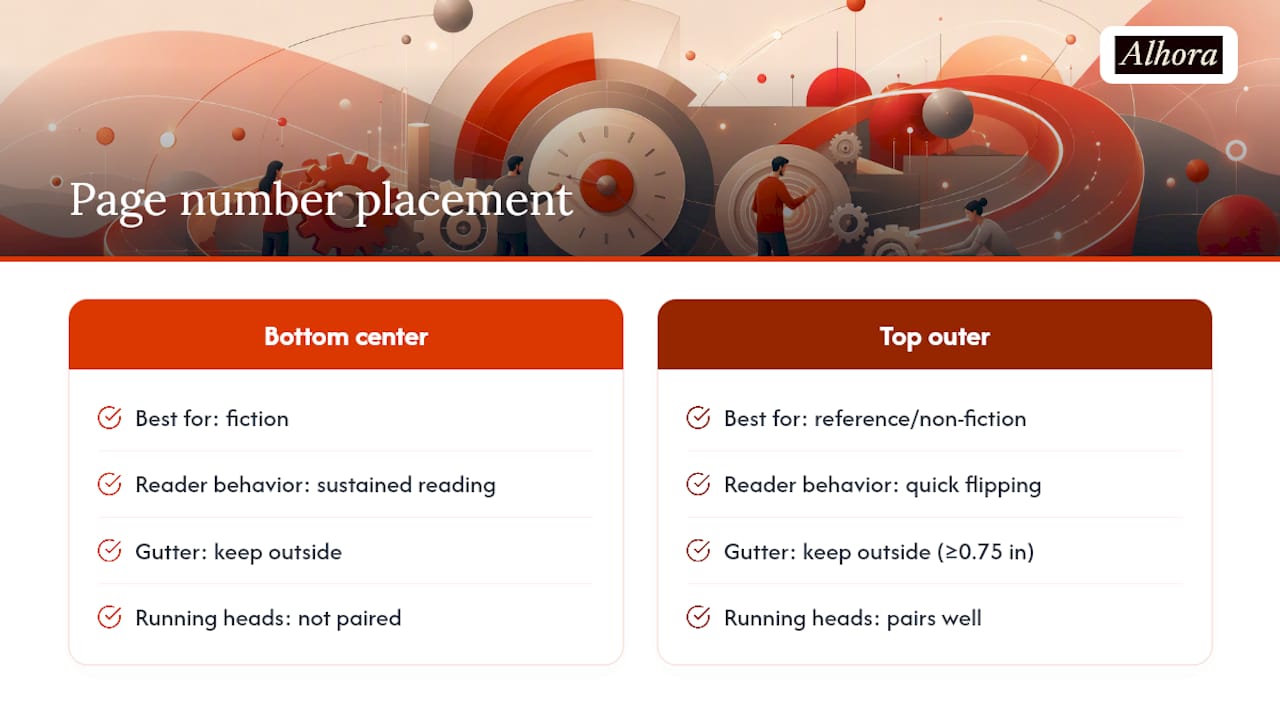
Bottom center suits fiction, since it stays out of the reader's way during long reading sessions and doesn't compete with running heads. Top outer corner (top right on recto, top left on verso) suits reference books and non-fiction, where readers flip quickly and want the number visible without opening to a specific spot.
Whichever placement you choose, keep the folio clear of the gutter, the inner margin where the book binds. A number set too close to the spine gets swallowed in perfect-bound or case-bound copies. Most print specs call for at least a 0.75 inch gutter margin on trim sizes under 6x9 inches, with folios sitting comfortably outside that zone.
Running heads (the author name or book title printed at the top of the page) usually pair with top-outer folios rather than bottom-center ones, since both live in the same visual band and give readers navigation cues in one glance instead of two.
How Do You Set Up Numbering in Word, InDesign, and Ebooks?
Getting the restart-at-1 behavior right depends entirely on the tool, and each one handles section breaks differently.
- In Microsoft Word: Insert a Next Page section break where front matter ends and Chapter 1 begins. Unlink headers and footers from the previous section (Word links them by default). Then go to Insert > Page Number > Format Page Numbers, set the front matter section to lowercase Roman, and set the body section to Start At: 1, according to Microsoft's own support documentation.
- In InDesign: Use separate master pages for front matter and body sections. Open the Pages panel, right-click the first body page, and choose "Numbering & Section Options" to restart at 1. Override the master page folio on chapter opener pages to hide the blind folio while keeping the page in sequence.
- In ebooks: Reflowable EPUB files don't have fixed pages, so a printed folio is meaningless once a reader changes font size. Rely on a hyperlinked table of contents instead of page numbers for navigation, since Kindle and other e-readers map to locations or percentage progress rather than static pages, per Wikipedia's page numbering entry. If you need print-parity pagination for citations or academic use, export a fixed-layout PDF alongside the EPUB.
Pro Tip: Before you upload anything to a retailer, generate a full PDF proof and manually check that every table of contents entry points to the correct physical page. Off-by-one errors hide easily in a Word document but show up immediately in a printed proof.
What Pagination Mistakes Should You Check Before Export?
Most numbering errors come from the same handful of causes: a missed section break, a late edit that shifted a chapter start, or a TOC that was generated before the final formatting pass.
- Confirm front matter uses Roman numerals in the correct sequence, with no gaps or repeats.
- Verify the first chapter starts on a recto page and is numbered Arabic 1.
- Count every blank page in the sequence, even the ones with nothing printed on them.
- Cross-check that your table of contents matches the final PDF page numbers exactly.
- Check folio placement against your gutter margin on both recto and verso pages.
- Confirm running heads appear on the correct pages and don't show up on chapter openers.
- Export a test PDF and flip through it page by page before final distribution.
| Checklist item | Quick fix |
|---|---|
| Front matter sequence wrong | Reapply Roman numeral formatting to the whole front matter section |
| Chapter 1 not on recto | Insert a blank verso page before it |
| Blank pages uncounted | Recheck page count against manuscript, not just visible numbers |
| TOC mismatch | Regenerate TOC after all edits are locked, not before |
| Folio too close to gutter | Increase inside margin or shift folio position |
An Author's Take on Pagination Pitfalls
The mistakes I see most often are painfully consistent: a chapter that starts on page 44 instead of 45 because of one deleted line, or a blank page that got dropped from the count entirely. Manual formatting in a word processor makes both nearly inevitable over a 300 page manuscript. Master pages and real-time validation catch these before export, which is the whole reason Alhora builds pagination checks directly into its typesetting engine rather than leaving them for a proofreader to catch after the fact.
— James
Let Alhora Handle Your Book's Pagination
Alhora is built for exactly the kind of pagination headaches this article just walked through. Its typesetting engine applies section-based numbering automatically, validates recto chapter starts, and flags blind-folio pages before you export, so you're not manually rechecking every chapter after a late edit. It runs natively on multiple desktop operating systems and exports in formats commonly accepted by major publishing platforms.
If you're formatting in Word right now, you can import your manuscript directly into Alhora and let the engine rebuild your pagination correctly from the front matter forward. Check out the full feature set for typesetting and export to see how it fits your workflow before your next upload.
Sources
These are the sources worth bookmarking if you want to verify a pagination decision or to follow exact tool steps:
- What is a blind folio? — Carter Printing glossary
- Elements of page design — LibGuides, Michigan State University Libraries
- Insert page numbers — Microsoft Support
- Book design — Wikipedia
FAQ
How Should Pages Be Numbered in a Book?
Front matter gets lowercase Roman numerals, and the main text restarts at Arabic 1 on the first page of Chapter 1, which lands on a recto (right-hand) page. Blank pages and hidden folios still count in the sequence even when no number prints on the page.
What Are the Rules for Page Numbering in Print Books?
The core rule is recto pages are odd-numbered and verso pages are even-numbered, a convention confirmed by Michigan State University Libraries. Display pages like the title and copyright page are usually blind folios, counted but not printed.
Are Even-Numbered Pages on the Right or Left Side of a Book?
Even-numbered pages are always verso, meaning the left-hand page when the book is open. Odd-numbered pages, including every chapter opener, are recto, on the right.
Where Should Page Numbers Go on a Book Page?
Bottom center works best for fiction because it stays unobtrusive during long reads, while top outer corner suits reference and non-fiction titles where readers flip quickly. Either placement needs enough clearance from the gutter margin so the number doesn't get lost in the binding.
Can Alhora Fix Page Numbering Automatically?
The typesetting engine applies section-based numbering, validates that chapters start on recto pages, and flags blind folios before export, reducing manual rechecking to prevent common pagination errors. Current plans and pricing are available on the Alhora site.