
EPUB landmarks are a flat navigation list in the EPUB navigation document that points readers and reading systems to a publication's major structural locations: the cover, the table of contents, the start of the actual content, and reference sections like the index or bibliography. They matter because reading systems like Apple Books use that list to generate previews, decide where "start reading" should land, and give assistive technology users a way to jump around a book without walking a hierarchical outline. Building one correctly takes about ten minutes once you know the pattern.
Here's the minimum you need to ship:
- A
<nav epub:type="landmarks">element inside your navigation document. - One flat, unnested
<ol>with<li>entries. - Each
<a>inside that list carries anepub:typevalue (cover,toc,bodymatter, and so on) and a validhref. - No duplicate
epub:typevalues, and no more than one landmarks nav per document.
A minimal snippet looks like this:
<nav epub:type="landmarks">
  <ol>
    <li><a epub:type="cover" href="cover.xhtml">Cover</a></li>
    <li><a epub:type="toc" href="nav.xhtml">Table of Contents</a></li>
    <li><a epub:type="bodymatter" href="chapter01.xhtml">Start Reading</a></li>
  </ol>
</nav>
The Accessible Publishing Knowledge Base defines a landmark as a flat navigation element linking to major structural locations, cover, title page, start of content, and specifies that landmarks must be a flat list, never nested like a table of contents.
For the full specification language, check the EPUB Content Documents 3.0 spec, the W3C EPUB 3.3 navigation document guidance, and the FlightDeck handbook entry on landmarks for working examples pulled from real publications.
Key Takeaways
A correctly built landmarks nav requires a flat list, canonical epub:type values, and validation against both EPUBCheck and real reading systems before a book ships.
| Point | Details |
|---|---|
| Build a flat landmarks nav | Use <nav epub:type="landmarks"> with a single unnested <ol>, never a hierarchical list. |
| Use canonical epub:type values | Cover, toc, and bodymatter form the minimal cross-platform baseline; add bibliography, index, and glossary for reference works. |
| Watch for duplicates and case sensitivity | No repeated epub:type values within one landmarks list, and casing must match the spec exactly. |
| Keep legacy guide for old readers only | Include the deprecated OPF guide element solely if targeting pre-EPUB 3 reading systems; otherwise skip it. |
| Validate with Alhora and EPUBCheck | Run EPUBCheck for structural errors, then confirm behavior manually in Apple Books; Alhora's audit-gated export runs these checks as one step. |
Table of Contents
- What Are EPUB Landmarks and How Do They Differ From the Table of Contents?
- How Do You Add a Landmarks Nav to the EPUB Navigation Document?
- Which epub:type Values Should You Use in Landmarks?
- Copy-Ready Landmarks Examples for Simple and Complex Books
- EPUB 2 Guide Element vs. EPUB 3 Landmarks: What's the Difference?
- How Do Apple Books and Other Reading Systems Use Landmarks?
- Why Do EPUB Landmarks Matter for Accessibility and WCAG Compliance?
- How Do You Test and Validate an EPUB Landmarks Nav?
- What Tools and Automation Patterns Help Scale Landmarks Across a Catalog?
- When Should Landmarks Be a Mandatory Step, Not an Afterthought?
- How Alhora Handles Landmarks and Accessible EPUB Export
- Where to Read More on EPUB Landmarks and Navigation Standards
- Frequently Asked Questions About EPUB Landmarks
- Sources
What Are EPUB Landmarks and How Do They Differ From the Table of Contents?
A landmarks nav and a table of contents solve two different problems, even though both live in the same navigation document. The TOC is a hierarchical roadmap: chapters nest under parts, sections nest under chapters, and a reader drills down through structure. Landmarks are the opposite. They're a flat shortcut list, maybe six to twelve entries, that gets a reader or a reading system to a handful of critical locations without forcing anyone to parse a tree.
That distinction shows up in how software actually uses the two lists. A TOC exists for human browsing. Landmarks exist partly for that too, but they also drive automated behavior: sample generation, "start reading" logic, and accessibility tooling that expects a flat, global list rather than a nested outline. The DAISY Knowledge Base draws a useful comparison here, noting that landmarks behave like ARIA landmarks on a webpage, but instead of being scoped to a single page, they're static and global across the entire publication.
A few practical differences worth keeping straight:
- The TOC can be as deep as your book's structure requires; landmarks must stay flat, one level only.
- The TOC generally links to every content division; landmarks link only to the handful of locations that matter for orientation and automated behavior.
- Reading systems treat the two lists differently in their UI, often showing landmarks in a separate "Go to" menu distinct from the chapter list.
Pro Tip: Even if your TOC already links to your glossary, index, and cover, add a landmarks nav anyway. Reading systems don't infer landmark semantics from TOC structure. Apple Books, for instance, looks specifically for the landmarks list when deciding how to build a sample, and a rich TOC with no landmarks nav simply won't trigger that behavior.
How Do You Add a Landmarks Nav to the EPUB Navigation Document?
The landmarks nav lives inside the same XHTML navigation document as your TOC, page list, and any other nav elements your book uses. That file must be declared in the OPF manifest with properties="nav", per the W3C EPUB 3.3 guidance, so reading systems know where to find it without guessing.
Follow this sequence when authoring by hand or building a template for a generator script:
- Open (or create) your
nav.xhtmlfile and confirm it's referenced in the manifest withproperties="nav". - Add a new
<nav epub:type="landmarks">block, separate from your existing TOC<nav>element. - Insert a single, flat
<ol>inside that nav. Do not nest a second<ol>inside any<li>, that structure is valid for a TOC but breaks the landmarks pattern. - Populate each
<li>with one<a>element, giving it both anepub:typeattribute and anhrefpointing to a real, resolvable target in the publication. - Check for duplicate
epub:typevalues. Two entries both taggedbodymatterwill confuse reading systems that expect exactly one canonical entry per type. - Confirm there's only one landmarks nav in the document. The spec is explicit that this element must not occur more than once.
A handful of gotchas trip up even experienced teams. epub:type is case-sensitive, so Cover and cover are not interchangeable, and a typo here fails silently in some reading systems rather than throwing a visible error. The DAISY KB also flags nested lists as one of the most common authoring mistakes, since it's an easy copy-paste error when a TOC template gets repurposed for landmarks.
If you're generating navs programmatically, build a checklist into your build script: manifest entry present, properties="nav" set, every href resolves to an existing file and fragment, and every epub:type value appears exactly once.

Pro Tip: If your book has multiple content documents, resolve every landmark href against the final packaged file structure, not your source folder layout. A broken landmark link is one of the most common EPUBCheck failures on multi-document projects, and it's invisible until you actually validate the packaged file.
Which epub:type Values Should You Use in Landmarks?
The EPUB 3 structural semantics vocabulary gives you a defined set of tokens to choose from, and the EPUB Content Documents 3.0 spec is the authoritative source for that list. You don't need all of them in every book. A novel needs far fewer landmarks than a reference work or an anthology.
| epub:type value | What it marks |
|---|---|
cover | The cover image page |
title-page | The formal title page |
toc | The table of contents |
frontmatter | Front matter as a whole (dedication, epigraph, foreword) |
bodymatter | The start of the main content, often used for "start reading" |
backmatter | Back matter as a whole (appendices, endnotes) |
loi | List of illustrations |
lot | List of tables |
preface | The preface |
glossary | The glossary |
bibliography | The bibliography |
index | The index |
acknowledgments | The acknowledgments section |
For most trade fiction and nonfiction, three values do the heavy lifting: cover, toc, and bodymatter. The FlightDeck handbook recommends exactly this trio as a minimal, cross-platform-friendly baseline, and it's a reasonable floor for any publication regardless of genre.
Reference works and academic titles should add bibliography, index, and glossary when those sections exist, since readers of that content type disproportionately rely on jumping straight to the back matter. If you need a token that isn't in the standard vocabulary, the spec allows vendor-specific or custom values, but treat that as a last resort. Custom tokens won't be recognized by reading systems expecting the canonical set, so you lose the cross-platform benefit that makes landmarks worth building in the first place. And remember: every value is case-sensitive, so standardize your casing in a single mapping table if more than one person touches your navigation document.
Copy-Ready Landmarks Examples for Simple and Complex Books
A short novel with a single content flow needs almost nothing beyond the baseline three entries. Here's a minimal, production-ready example:
<nav epub:type="landmarks" hidden="">
  <ol>
    <li><a epub:type="cover" href="cover.xhtml">Cover</a></li>
    <li><a epub:type="toc" href="nav.xhtml">Table of Contents</a></li>
    <li><a epub:type="bodymatter" href="chapter01.xhtml#start">Start Reading</a></li>
  </ol>
</nav>
Note the hidden="" attribute. Reading systems can still parse and use a hidden landmarks nav for automated behavior; it simply doesn't render as a visible page unless you choose to expose it with CSS.
A multi-part anthology or a reference work needs more entries, and each href has to resolve correctly across separate content documents:
<nav epub:type="landmarks" hidden="">
  <ol>
    <li><a epub:type="cover" href="cover.xhtml">Cover</a></li>
    <li><a epub:type="title-page" href="titlepage.xhtml">Title Page</a></li>
    <li><a epub:type="toc" href="nav.xhtml">Table of Contents</a></li>
    <li><a epub:type="preface" href="preface.xhtml">Preface</a></li>
    <li><a epub:type="bodymatter" href="part01_ch01.xhtml">Start Reading</a></li>
    <li><a epub:type="bibliography" href="backmatter.xhtml#bib">Bibliography</a></li>
    <li><a epub:type="index" href="backmatter.xhtml#idx">Index</a></li>
  </ol>
</nav>
Each href here targets a specific file, and in the back matter's case, a specific fragment identifier inside a shared file. That pattern, one physical document holding multiple landmark targets via fragment IDs, is common in books where the bibliography and index share a file.
- Keep the landmarks nav hidden by default unless you have a specific reason to expose it as a visible page.
- If you do want a visible "Guide" page, use
display: blockin your CSS rather than removing thehiddenattribute's semantic intent for reading systems that don't support CSS-based visibility. - Never duplicate the same target across two different
epub:typevalues unless the content genuinely serves both roles.
The FlightDeck handbook frames this well: treat landmarks generation and validation as one step in your export pipeline, not a manual afterthought bolted on after the file is otherwise finished.
EPUB 2 Guide Element vs. EPUB 3 Landmarks: What's the Difference?
If you've worked with EPUB 2 files, you'll recognize the OPF <guide> element, an older mechanism for marking a handful of reference points like the cover and the start of text. EPUB 3 replaces it with the landmarks nav, and the EPUB Content Documents 3.0 spec is explicit that reading systems supporting EPUB 3 should ignore the guide element when a landmarks nav is present.
That doesn't mean guide is useless today. It means its role is narrow and specific:
- Include the OPF
guideelement only if you're deliberately targeting older reading systems that predate EPUB 3 navigation support. - If your publication targets EPUB 3 reading systems exclusively, which covers the overwhelming majority of current platforms, skip
guideentirely and rely on landmarks. - Don't try to keep both in perfect sync as a hedge. Reading systems that understand landmarks will disregard guide anyway, so maintaining two parallel structures just creates a second place for entries to drift out of date.
- If you do retain
guidefor legacy support, keep its entries limited to the same handful of critical types, cover, text start, table of contents, rather than trying to mirror your full landmarks list.
The practical takeaway for most current projects: build your landmarks nav properly, treat guide as a legacy fallback you can usually omit, and don't spend engineering time synchronizing two overlapping systems that serve the same purpose for different generations of software.
How Do Apple Books and Other Reading Systems Use Landmarks?
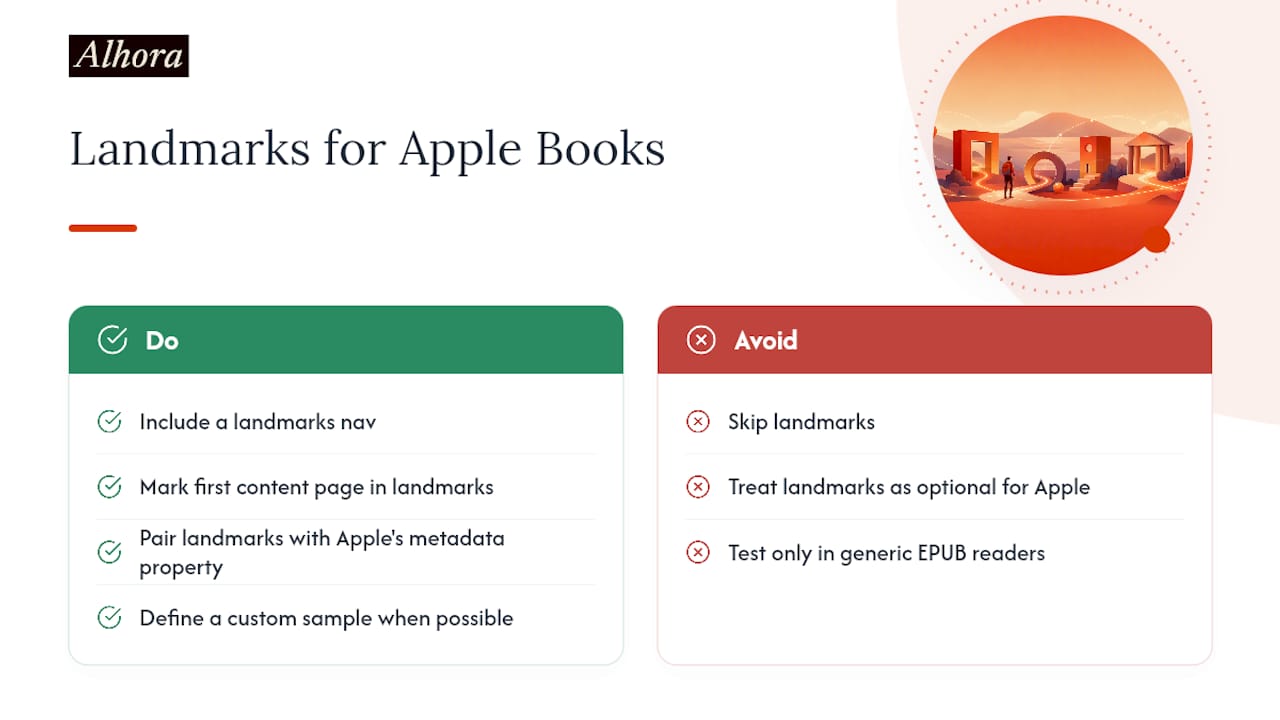
Landmarks aren't just a nicety for screen reader users, they actively shape how major platforms behave. Apple Books references the landmarks nav when generating sample previews and when determining a book's start page, according to Apple's own Books Asset Guide. Skip landmarks, and you're leaving that behavior to chance.
Fixed-layout EPUBs carry extra weight here. Without a custom sample defined, Apple Books can require a landmarks structure to figure out where a preview should end and where the "real" book should begin, which matters enormously for fixed-layout titles like illustrated children's books or heavily designed nonfiction. W3C's own fixed-layout accessibility guidance recommends landmarks specifically to improve section identification in fixed-layout content, where the usual document-flow cues that flowing text provides simply don't exist.
To control exactly where "start reading" lands in Apple Books, mark your first content page with epub:type="bodymatter" in your landmarks list, and pair it with Apple's ibooks:reader-start-page metadata property if you need finer control than the landmark alone provides.
Pro Tip: Test your fixed-layout books in Apple Books specifically, not just a generic EPUB reader. Behavior around samples and start pages is one of the more platform-specific corners of the spec, and a landmarks nav that works fine in Thorium can still produce an unexpected sample split in Apple's own app.
Landmarks are technically optional under the EPUB 3 spec, but treating them as optional in practice is a mistake for anyone shipping to Apple's storefront. One reading system alone builds meaningful automated behavior around a nav element that costs you a dozen lines of markup to include.
Why Do EPUB Landmarks Matter for Accessibility and WCAG Compliance?
Landmarks give assistive technology users a fast, reliable way to jump to major sections without tabbing through an entire document structure. That directly supports the spirit of WCAG's navigation and orientation guidance, including success criteria like 2.4.5 (Multiple Ways), which calls for more than one method of locating content within a set of pages.
The advantage landmarks have over relying purely on page-level ARIA landmarks is scope. ARIA landmarks like <main> or <nav> work within a single HTML document, but an EPUB is often dozens or hundreds of separate content documents stitched together. A screen reader user working through a multi-document publication can't rely on page-level ARIA to jump from chapter 3 to the bibliography, because those are different files. The DAISY Knowledge Base makes this comparison directly: landmarks function similarly to ARIA landmarks, but they're static and global to the whole publication rather than scoped to one page.
Run this checklist before you consider a book's accessibility work done:
- Every essential landmark is present: at minimum
cover,toc, andbodymatter. - Reference works also include
bibliography,index, andglossarywhere those sections exist. - Every
hrefresolves to a real, existing target, no dead links inside the landmarks list. - The list has been tested with an actual screen reader, not just visually inspected in a code editor.
- The landmarks nav renders correctly (or stays appropriately hidden) across at least two different reading systems.
Publishers producing reference works, textbooks, or anything with a complex back matter section get the largest accessibility return from a well-built landmarks list, precisely because those are the books where navigating without one is most painful.
How Do You Test and Validate an EPUB Landmarks Nav?
Validation happens in two layers: automated checks that catch structural errors, and manual checks that confirm real-world behavior matches what you intended.
Start with EPUBCheck, the standard conformance validator for EPUB files. Run it against your packaged file and confirm three things: the navigation document is listed in the manifest with properties="nav", there are no duplicate epub:type values inside the landmarks list, and the nav document itself is well-formed XHTML with no unclosed tags or malformed attributes.
Automated tools catch structure. They don't catch behavior. For that, open the packaged EPUB in your target reading systems, Apple Books and Thorium Reader cover most of the ground worth testing, and manually inspect the landmarks menu. Confirm the entries appear in a sensible order, confirm "start reading" lands where you expect, and then run the file through a screen reader to confirm the landmarks are actually announced and navigable, not just present in the markup.
- Run EPUBCheck against the final packaged file, not a working draft.
- Fix every manifest or nav-related error before moving to manual testing.
- Open the file in at least two reading systems with different rendering engines.
- Manually inspect the landmarks menu in each, confirming labels and destinations.
- Test "start reading" behavior specifically if the book is fixed-layout.
- Run a screen reader pass to confirm landmarks are announced correctly.
| Check type | What it catches | What it misses |
|---|---|---|
| Automated (EPUBCheck) | Manifest errors, malformed XHTML, missing properties="nav", duplicate epub:type values | Whether the reading system actually uses the landmarks correctly |
| Manual (reading systems) | Real-world menu rendering, start-page behavior, broken navigation despite valid markup | Structural spec violations that don't surface visually |
| Manual (screen reader) | Whether landmarks are announced and reachable via assistive tech | Cross-platform rendering differences in visual reading systems |
Common failures and fixes: a missing properties="nav" attribute usually means the manifest entry was copied from a non-nav content document, add it back. Duplicate epub:type values almost always trace back to a copy-pasted <li> where only the href was updated, audit every entry by hand. A landmarks menu that renders empty in a reading system despite passing EPUBCheck often points to a nested <ol>, since some readers silently refuse to parse a landmarks list that doesn't match the flat structure the spec requires.
What Tools and Automation Patterns Help Scale Landmarks Across a Catalog?
Once you're producing more than a handful of titles, manually authoring landmarks for every book stops being practical. Three categories of tooling handle this at scale: authoring platforms that export a compliant nav document automatically, build scripts that inject landmarks into an existing nav based on a content map, and post-processing toolchains that audit an already-built EPUB and flag missing or malformed entries before packaging.
Whatever approach you choose, a few automation patterns save real time:
- Build a single canonicalization table mapping your internal structural labels (like "Chapter 1" or "Back Matter") to the correct
epub:typetokens, so every export uses consistent values instead of relying on whoever built the template that week. - Add unit tests for your nav-generation step that assert no duplicate
epub:typevalues and that every generatedhrefresolves against the final file list. - Run a landmarks and manifest check as a required step in continuous integration, before packaging, not after a human notices a problem in QA.
Pro Tip: If your pipeline handles multi-document books, write your href-resolution logic once and reuse it everywhere hrefs get generated, TOC, landmarks, and page-list alike. Most landmarks bugs in automated pipelines trace back to href resolution logic that was written twice and drifted apart, not to a misunderstanding of the epub:type vocabulary itself.
When Should Landmarks Be a Mandatory Step, Not an Afterthought?
Reference works, fixed-layout titles, and long multi-document publications are where I'd draw a hard line: landmarks stop being a nice-to-have and become a mandatory gate in the export pipeline. A 40,000-word novel with a single content flow survives without a perfect landmarks list. A 600-page academic reference with a bibliography, glossary, and index does not, not if you actually care whether a screen reader user can navigate it without help.
The operational fix is boring but effective: put a landmarks and manifest check in the same automated gate as your EPUBCheck run, and make it a build failure, not a warning, when required tokens are missing or duplicated. That takes the decision out of any one person's hands during a rushed release cycle. Editorial teams shouldn't be expected to know the case-sensitivity rules around epub:type, and production teams shouldn't be expected to know which reference sections a given manuscript actually contains. Split the responsibility: editorial flags which structural sections exist, production encodes them correctly, and CI verifies nothing was missed.
Where I'd push back on strict spec-purism is testing scope. You don't need to validate every title against every reading system that has ever existed. Pick two or three platforms that represent the bulk of your actual readership, Apple Books almost always belongs on that short list given how directly it uses landmarks for sample generation, and treat deeper platform coverage as a spot-check rather than a per-title requirement. Spec accuracy gets you correctness; pragmatic testing gets you books that actually work for readers on the platforms they're using today.
How Alhora Handles Landmarks and Accessible EPUB Export
Building a compliant landmarks nav by hand for every title gets tedious fast, especially across a backlist or a multi-book series. Alhora automates the typesetting work that usually eats a formatter's afternoon and pairs it with audit-gated accessible EPUB export, which means landmarks generation and validation happen as part of the same export step rather than as a separate manual pass you have to remember.

Three things matter specifically for landmarks: Alhora handles manifest and nav wiring automatically, so you're not hand-editing properties="nav" attributes or chasing down a missing entry. Its validation checks flag duplicate epub:type values and malformed hrefs before you ever hit export, catching the exact errors that trip up EPUBCheck. And its export previews let you see how a fixed-layout file behaves against Apple Books conventions before you upload anything to a storefront.
If you're maintaining a catalog where landmarks need to be consistent across dozens of titles, that audit gate is the difference between fixing errors once in your pipeline versus fixing them one book at a time after a reader complains. Take a look at what Alhora's export process covers and see whether it fits the way your team currently handles accessible EPUB output.
Where to Read More on EPUB Landmarks and Navigation Standards
- The DAISY Accessible Publishing Knowledge Base landmarks page is the best starting point for definitions, flat-list requirements, and common authoring mistakes.
- The EPUB Content Documents 3.0 spec gives the formal vocabulary of epub:type values and the rules governing the landmarks nav element itself.
- W3C's EPUB 3.3 recommendation covers manifest requirements and how the navigation document fits into the broader package structure.
- Apple's Books Asset Guide explains platform-specific behavior around samples and start pages that directly affects how you should structure landmarks for that storefront.
- The FlightDeck handbook's landmarks entry offers working code examples and a practical minimal-value recommendation worth using as a template.
Frequently Asked Questions About EPUB Landmarks
Are EPUB landmarks required by the specification? No. Landmarks are optional under the EPUB 3 spec, but several major reading systems, Apple Books in particular, rely on them for sample generation and start-page behavior, which makes them a practical necessity for cross-platform publishing even though they're not strictly mandatory.
Can a landmarks nav include the same link twice with different epub:type values? Technically the markup allows an href to appear more than once, but each epub:type value itself must be unique within the landmarks list. Avoid pointing two different landmark types at the exact same target unless the content genuinely serves both roles, like a combined preface and introduction.
Do I need both a TOC and a landmarks nav? Yes, they serve different purposes. The TOC gives readers a full hierarchical map of the book, while landmarks provide a flat, quick-access shortcut to a handful of critical locations. Reading systems and accessibility tools expect both to exist independently.
What happens if my landmarks nav has a nested list? Some reading systems will simply fail to render the landmarks menu correctly, or ignore it entirely, since the spec requires a flat list. EPUBCheck may flag structural issues, but a nested list is one of the more common errors that slips through casual visual inspection.
Should I still include the EPUB 2 guide element in new books? Only if you're specifically supporting older reading systems that predate EPUB 3 navigation. For anything targeting current EPUB 3 reading systems, landmarks fully replace guide's function, and reading systems that understand landmarks will ignore guide anyway.
Sources
- Landmarks - Accessible Publishing Knowledge Base
- Navigation Document
- FlightDeck - Handbook - Landmarks