
Book-formatting software in the U.S. runs from free to about $300 as a one-time purchase, or a range of monthly subscription prices from around $10 to $40. For independent authors and small publishers who need cross-platform access, professional typesetting, and reliable exports to KDP, IngramSpark, and beyond, Alhora is the leading option. Here is what the full pricing picture looks like:
- Free tier: Browser-based tools like Reedsy Studio cover standard ebook and print exports at no cost, though feature depth is limited.
- One-time license ($100–$300): Tools in this range charge once for lifetime access. Vellum, for example, uses a free-to-build, pay-to-export model — $249.99 for ebook-only export, $299.99 for print and ebook combined.
- Monthly subscription ($10–$40/month): Active publishers get continuous updates, team seats, and frequent exports. Adobe InDesign runs $34.49/month or $22.99/month on an annual commitment.
- Bundled platforms (~$99/year): Some services fold formatting into a broader publishing suite that includes storefronts and ISBNs.
- Enterprise/publisher plans: Team-seat pricing for small publishers, typically quoted on request.
Key Takeaways
Book-formatting software costs range from free to roughly $300 one-time or $10–$40 per month on subscription, and the right choice depends on publishing volume, platform needs, and required export types.
| Point | Details |
|---|---|
| Price bands | Free tools exist; one-time licenses run $100–$300; subscriptions run $10–$40/month. |
| Features worth paying for | Print PDF export, EPUB validation, and typography controls justify higher prices for most authors. |
| Platform matters | macOS-only tools create hidden costs for Windows and Linux users; cross-platform tools avoid this. |
| Estimate before you buy | Run the worksheet: base license plus exports, AI credits, and seats gives your real annual cost. |
| Alhora recommendation | Alhora covers Mac, Windows, Linux, and ChromeOS with full typesetting and transparent plan pricing. |
Table of Contents
- How much does book formatter software actually cost?
- Which features push the price higher?
- Does your platform choice affect what you pay?
- How to estimate your actual annual cost
- Why Alhora stands out on price and features
- The real cost isn't always the license fee
- See Alhora's plans and test an export before you commit
- Sources
How much does book formatter software actually cost?
The pricing model matters as much as the sticker price. A $300 one-time license and a $25/month subscription both sound reasonable until you run the numbers for your actual publishing volume.

Free tools are genuinely production-capable. Reedsy Studio is browser-based, costs nothing, and handles standard ebook and print exports. The trade-off is feature depth: no advanced typography controls, no batch formatting, no accessibility audits.
One-time licenses make sense for authors who publish more than one or two books. Atticus, positioned as a cross-platform alternative to Mac-only tools, is priced around $147 one-time. Subscriptions, by contrast, accumulate. A $25/month plan costs $300 in year one, which already exceeds most one-time licenses.
Certain cloud platforms offer monthly plans ranging approximately from $19 to $39, with single-export unlocks typically near $49. That structure suits authors who format rarely but want access to a full-featured tool between projects.
Pro Tip: A one-time license pays for itself the moment its total cost drops below what you'd have spent on a subscription for the same period. For a $250 license vs. a $20/month subscription, that breakeven hits at 12–13 months. If you plan to publish more than two books, the math almost always favors a one-time or lifetime option.
Which features push the price higher?
Not every author needs every feature. Knowing which capabilities drive cost helps you avoid paying for tools you won't use.
Features that typically raise the price of book-formatting software:
- Print PDF export: Generating trim-size-correct, bleed-ready PDFs for IngramSpark or KDP Print requires precise layout logic that free tools rarely include.
- High-fidelity EPUB validation: Passing EPUB 3 checks for Apple Books and Kobo takes real QA work on the vendor's side, which shows up in the price.
- Audit-gated accessible EPUB: Accessibility compliance (WCAG, EPUB Accessibility 1.1) adds a full validation layer that most budget tools skip entirely.
- Batch and series formatting: Applying consistent styles across three or ten books simultaneously is a time-saver that commands a premium.
- Advanced typography controls: Automatic justification, hyphenation, widow and orphan prevention, and drop caps are features that distinguish a typesetting engine from a basic formatter.
- Metadata and ISBN management: Embedding correct metadata for each distribution platform reduces distribution errors downstream.
- Version control: Tracking manuscript revisions inside the formatting tool is valuable for publishers managing multiple contributors.
- AI-assisted validation: Flagging potential proofreading issues without rewriting creative content adds an editorial safety net, usually sold as a credit-based add-on.
Pro Tip: Solo indie authors should prioritize print PDF export, EPUB validation, and typography controls. Small publishers formatting multiple titles per year get the most return from batch formatting, version control, and team seats. AI credits are worth adding only if you're doing final-pass checks before distribution.
Does your platform choice affect what you pay?
Yes, and the effect can be significant. A macOS-only tool like Vellum is recommended for Mac authors who publish multiple books, but Windows and Linux users are locked out entirely. Running a Mac virtual machine to access a macOS-only tool adds cost and friction that rarely gets factored into the initial price comparison.
Browser-based and cross-platform tools eliminate that problem. Cross-platform browser tools run on any OS and are the practical choice for mixed teams, ChromeOS users, and anyone who switches machines.
Before you commit to a license, answer these five questions:
- Which operating systems do you and your team use? A macOS-only tool is a hard no for Windows or Linux users.
- How many seats do you need? Single-user licenses don't cover a two-person publishing operation without an upgrade.
- Does the license cover commercial use? Freelance formatters charging clients need to confirm this explicitly.
- What are the export limits? Some tools charge per export or cap the number of files per month.
- What is the trial and refund policy? A free-to-build model lets you test the full UI before paying; a 14-day trial on a subscription is a different kind of safety net.
How to estimate your actual annual cost
Use this worksheet to build a realistic number before you subscribe or buy.
Sample calculation — single novel: An author publishing one book per year on a $20/month subscription pays $240/year. A $250 one-time license costs $10 more in year one and nothing in year two. The subscription wins only if the author values continuous updates enough to pay for them indefinitely.
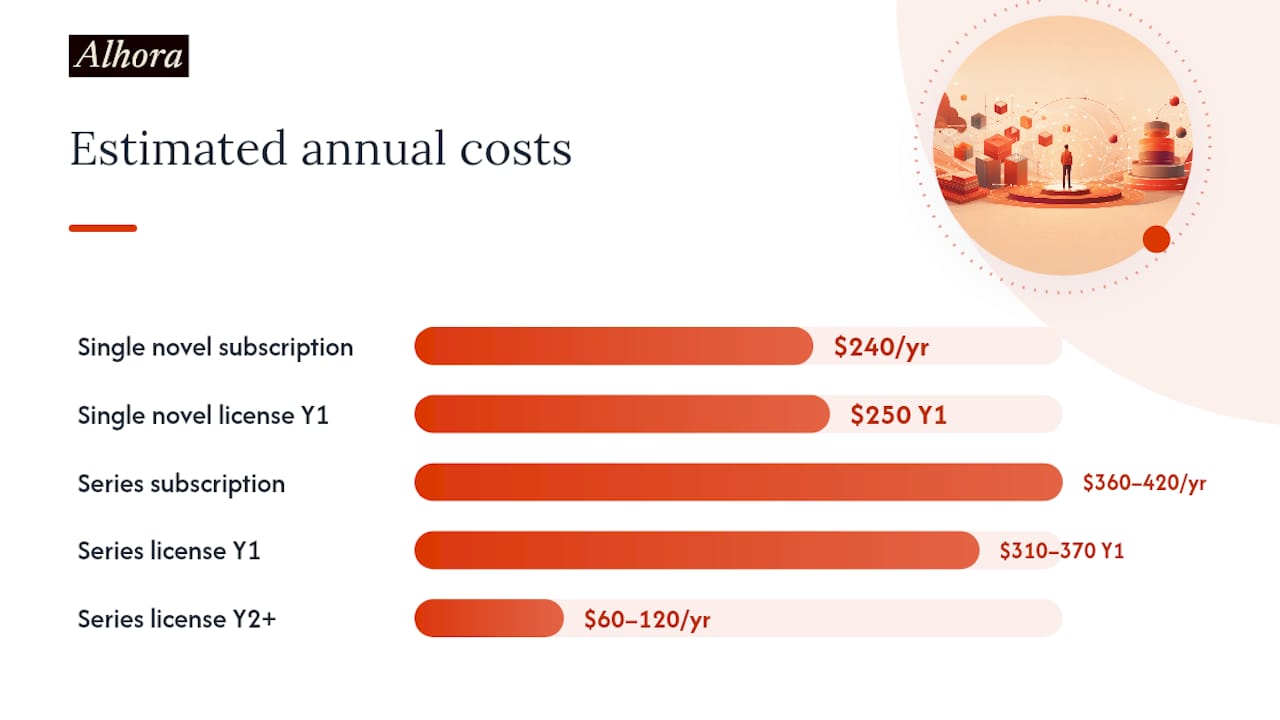
Sample calculation — series author: Three books per year with AI-assisted checks and an annual subscription at $25/month totals $300 for the license plus roughly $60–$120 in AI credits, landing at $360–$420/year. A lifetime license at $250 plus the same AI credits runs $310–$370 in year one and drops to $60–$120 in every subsequent year.
To run this worksheet for your situation, gather these inputs first:
- Number of finished exports you need per year (ebook, print, or both)
- Number of users who need access
- Whether print PDF export is required for your distribution channels
- Whether accessibility-validated EPUB is required (Apple Books, library distribution)
Why Alhora stands out on price and features
Alhora offers monthly, annual, and lifetime license options, with an optional paid AI add-on for editorial checks and publisher seat upgrades for teams. The typesetting engine handles justification, hyphenation, widow and orphan prevention, drop caps, and trim/bleed/gutter checks automatically. Exports cover KDP, IngramSpark, Draft2Digital, Apple Books, Kobo, and Google Play.
| Plan type | License shape | Key features | Best for |
|---|---|---|---|
| Monthly | ~$10–$20/month | Full typesetting, ebook + print export, EPUB validation | Authors testing the tool or publishing occasionally |
| Annual | ~$100–$200/year | Same as monthly, lower per-month cost, version control | Active authors publishing 1–3 titles/year |
| Lifetime | One-time fee | All features, no recurring cost, batch formatting | Series authors, freelance formatters, small publishers |
| AI add-on | Credit-based | Proofreading flags, no creative rewriting | Authors doing final-pass checks before distribution |
| Publisher seats | Per-seat upgrade | Team access, metadata management, ISBN tools | Small publishing houses with multiple collaborators |
Trust signals worth noting: Alhora runs on Mac, Windows, Linux, and ChromeOS, so platform lock-in is not a factor. The export preview lets authors test the layout before committing to a paid export. Accessibility audits are built into the EPUB workflow, not sold as a separate tier.
Scenario 1 — Solo author, one book per year: An annual plan covers all exports with no per-export fees. The typesetting engine eliminates the manual widow/orphan fixes that add hours to a DIY workflow.
Scenario 2 — Small publisher, four titles per year: A lifetime license plus publisher seats covers the full team. Batch formatting across a series cuts per-title formatting time, and the AI add-on flags issues across all four manuscripts before distribution.
Pro Tip: If you're on the fence between annual and lifetime, count how many books you realistically plan to publish in the next three years. Three or more titles almost always makes the lifetime option the lower total cost.
The real cost isn't always the license fee
The price on the checkout page is the easy part. The harder cost is the hours you spend fighting a tool that doesn't fit your workflow or your operating system.
Authors who buy a macOS-only tool and then switch to Windows mid-series don't just lose their license. They lose their templates, their formatting consistency, and sometimes their files. That's a real cost that never appears in any pricing comparison.
Paying a bit more for a cross-platform tool with a solid typesetting engine isn't a luxury purchase. For anyone publishing more than one book, it's the cheaper decision over a three-year horizon. The subscription vs. one-time debate matters less than whether the tool actually runs on your machine, exports to your target platforms, and handles typography without manual intervention.
See Alhora's plans and test an export before you commit
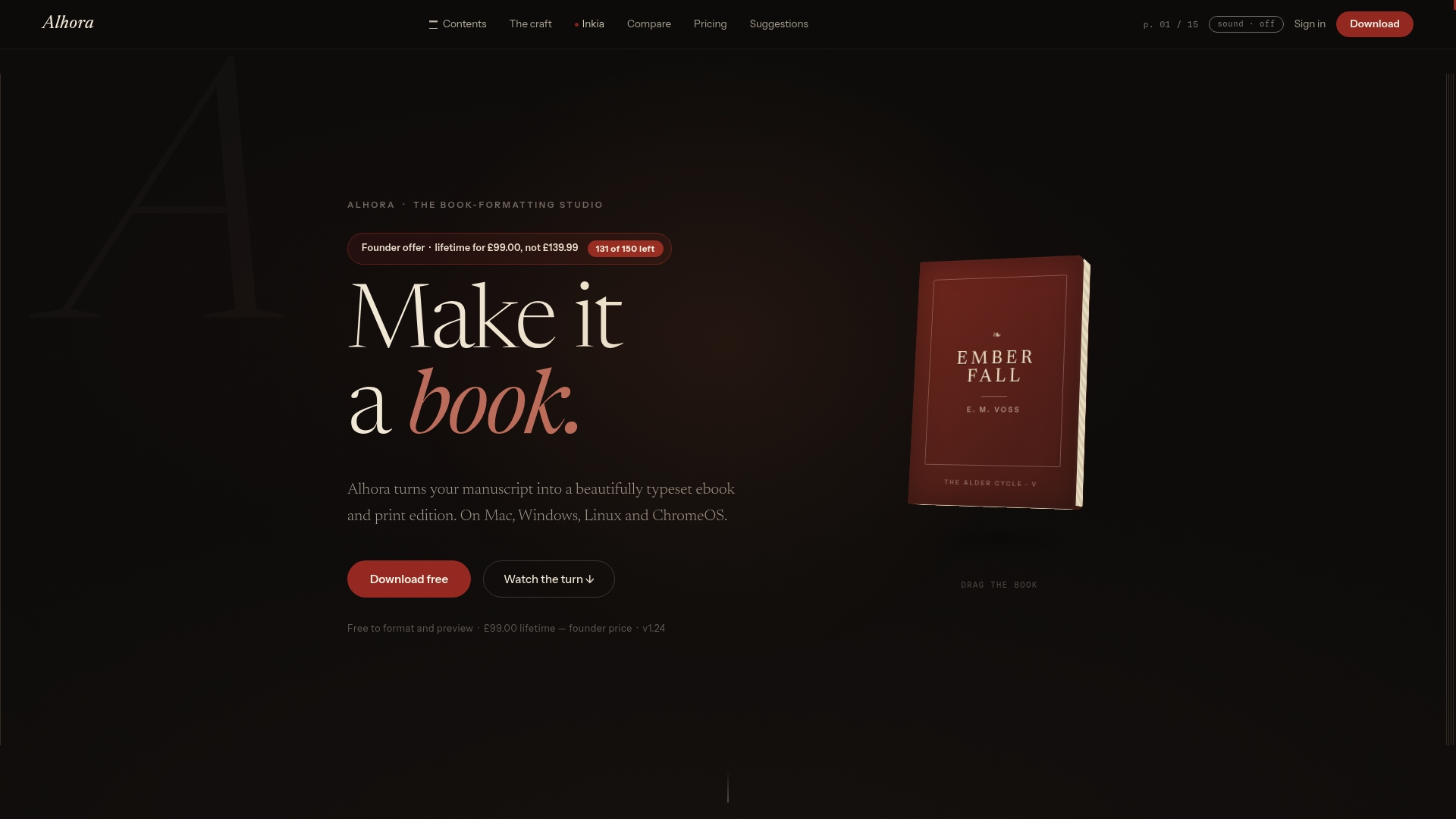
Alhora's pricing page lays out every plan tier with no hidden fees. Monthly, annual, and lifetime options are all listed transparently, and the export preview lets you see exactly how your manuscript formats before you pay for a final file. For authors moving from a free tool to a paid one, or from a macOS-only tool to something that runs everywhere, the trial is the fastest way to answer the question.
Check the plans, run your cost worksheet against the actual numbers, and test an export to your target platform. Start with Alhora here and know what you're buying before you buy it.
Sources
- The best book formatting software: 7 tools compared
- Book Formatting Software: 6 Tools Tested for 2026 (Mac/PC)